A short but sweet tutorial for people who are still foggy on how to do teleporters, found most commonly on the Unreal Tornament map series, they make a grand excuse not to make stairs or bridges - or any other method of transport!
Simply follow these steps to have an exciting change from the norm of stairs and elevators...
Step 1 - So where are these Teleporters?
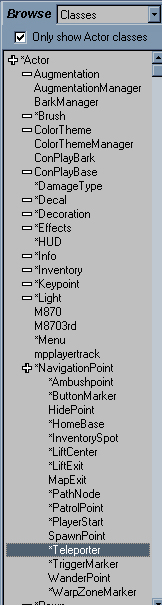
If you go into classes, which by this time you should know where it is, then find the*NavigationPoint tab - open that up, and you will see a class named *Teleporter. Yes kids, this is it!
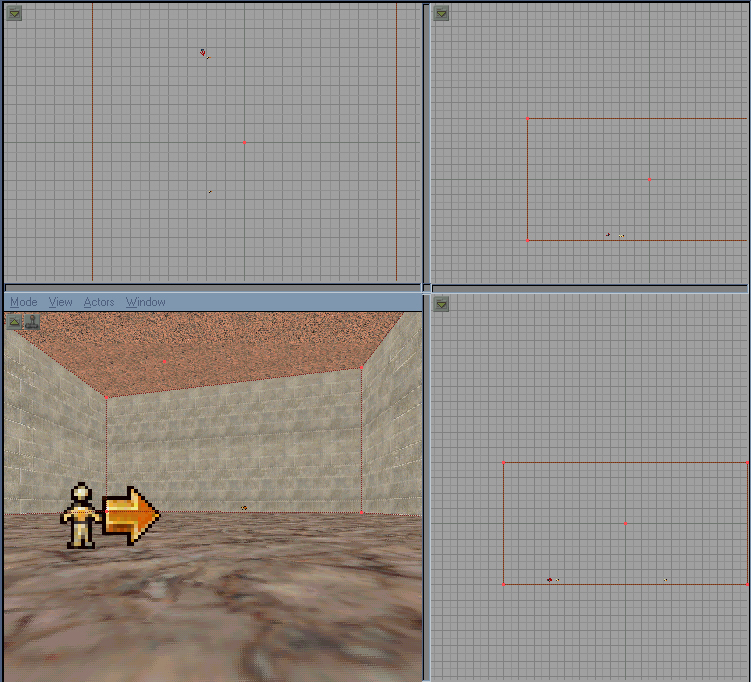
Add the class to your map, preferrably at least 128 units apart, or even at opposite ends of the map...
Step 2 - Properties of a Teleporter
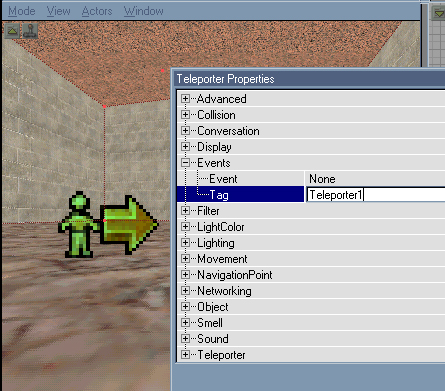
Ok, everything in your map will need formatting in some form or another, and this is no less so for teleporters. Go into one teleporters' properties, open up events and set its tag to something meaningful like Teleporter1...
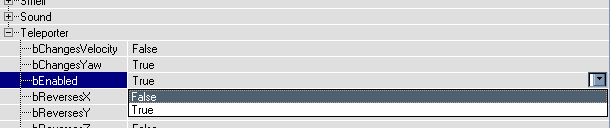
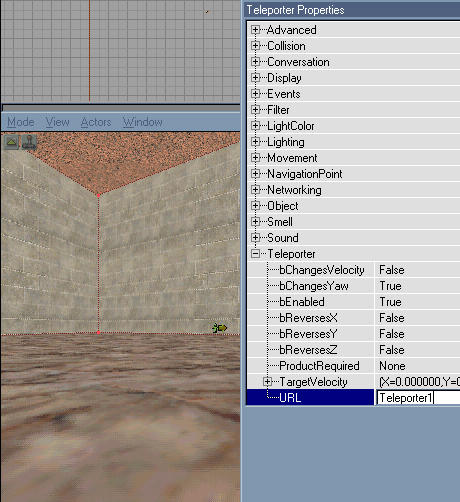
... Now go into the bottom tab in its properties - Teleporter. Make sure that the input box bEnabled is set to False...
Step 3 - Teleportication
Going into the other teleporters' properties, select the Teleporter tab, and enter the Tag of the first teleporter into the URL input box...
Now for the best bit - rebuild your geometry, and play the map!
Just a quik note:
This tutorial is for one-way teleporters. For two-way teleporters, you have top give the second teleporter a tag, and set the first teleporter's 'URL' field to the tag of the first teleporter.
Also, some people don't disable the second teleporter, but instead leave its 'URL' field blank.
Jon